

Instead of manually rebuilding every product drop in TikTok, connect an authorized store catalog to TikTok Shop, map its variants, and verify the product links before publishing. For the tiktok shop tlf apparel workflow, seller access comes first: shoppers follow products, while authorized merchants configure the connection.
- The tiktok shop tlf apparel workflow requires authorized seller access, not just a TikTok account.
- Connect the merchant catalog before attaching product links to drop content.
- Match each size and color to the correct source variant before publishing.
- Treat catalog setup, creator permissions, and TikTok Ads Manager as separate tasks.
Why this matters
TLF Apparel is best for shoppers seeking performance apparel and everyday Gym-To-Street(R) styles. Connecting that apparel to a commerce channel is an operational task, not a setting customers turn on at checkout.
Start with the official TLF Apparel website when identifying the brand and its products. A familiar logo or product photograph inside TikTok does not establish who operates a seller account.
For your 2026 setup, separate three jobs: connecting the merchant catalog, giving eligible creators permission to feature products, and publishing content with the correct product attached. Completing one does not complete the others.
The biggest practical distinction is ownership. A customer cannot synchronize another company's catalog, and a creator cannot grant themselves merchant administration rights.
Before you start
- Authorized access: Use permission from the store owner, access to the commerce platform, and the relevant TikTok Shop Seller Center account. Complete the seller verification required for your market before attempting the catalog connection.
- Product materials: Prepare approved titles, photographs, descriptions, size information, variant identifiers, and fulfillment details. For the Shopify route below, you also need permission to install sales channels.
- The gotcha: A product existing on the website does not mean it has passed TikTok Shop's listing review. Connecting accounts, submitting products, and obtaining permission to attach them to content are separate checkpoints.
Choose your role before touching the setup. These workflows have different permissions and different end results.
| Workflow | Best for | What you control | Advantage | Limitation |
|---|---|---|---|---|
| Merchant catalog connection | Authorized store operators | Catalog submission and channel configuration | Keeps product administration tied to the source store | Requires seller approval and store permissions |
| Creator product linking | Creators with the required platform permissions | Eligible product attachments in content | Connects a demonstration to its product listing | Does not grant catalog ownership or automatic brand authorization |
| Shopper discovery | Customers researching a drop | Following accounts and opening product links | Requires no merchant administration | Does not create a store integration |
Use the merchant workflow only when you operate the store or have explicit authorization. Creators and shoppers should use their own account features rather than request store administrator credentials.
Store access and channel connection
The following configuration route applies to a Shopify-managed store. If your authorized store uses another platform, use that platform's supported TikTok Shop connection rather than copying Shopify menu instructions.
Connect the correct business accounts
- Sign in to the authorized Shopify admin. Open Settings, then Apps and sales channels, and review the installed channels before adding anything.
- If the TikTok channel is absent, open the Shopify App Store, find the official TikTok app, review its publisher and requested permissions, and select Install.
- Open TikTok from your installed sales channels. Enter the TikTok Shop setup flow, rather than stopping after an advertising-account connection.
- Sign in to the intended TikTok Shop seller account when prompted. Check the business identity and shop region before granting the requested access.
- Complete the seller onboarding and connection tasks shown for that account. Resolve verification requests before submitting the drop catalog.
Expected result: The channel identifies the intended seller account and allows you to proceed with product setup. An advertising account appearing in the channel is not, by itself, proof that TikTok Shop is connected.
Do not install a second connector simply because the first screen looks unfamiliar. First establish whether an existing app already manages the channel; competing connections make it harder to identify which system owns product updates.
For a 2026 launch checklist, record the store administrator, seller-account owner, and person responsible for listing corrections. Assign those responsibilities before the content team schedules its posts.
Product catalog and variant mapping
Your source catalog should determine what a product is. TikTok content should demonstrate that product, not introduce a separate set of names or specifications.
Prepare a controlled catalog submission
- Open Products in Shopify and select 1 product for the initial setup. Use an existing, approved product record rather than creating a duplicate specifically for the channel.
- Review its title, description, photographs, size information, and variant identifiers. Keep unsupported performance claims out of both the listing and the video script.
- Inspect the product's publishing settings and include the TikTok channel through the installed integration's product-selection controls.
- Map the apparel category and any required attributes in the channel. Match every size and color to the corresponding source variant.
- Submit the selected product through the connector, then inspect its record in TikTok Shop Seller Center. Resolve the specific listing feedback before expanding the submission.
Expected result: You can trace the submitted TikTok Shop listing back to one source product and match its variants without guessing.
A concrete example is the TLF Swole Tee in black. Its supplied product description names Cotton Luxe DNA(TM); that fact does not justify adding an unlisted fabric composition, compression rating, or drying-time claim.
If your test product has 2 size variants, inspect both separately. A correct parent title does not prove that each variant identifier, size label, or image association is correct.
Keep a small mapping record with the source product identifier, source variant identifier, TikTok listing identifier, and person responsible for corrections. This is your reference when a creator reports that a product link opens the wrong item.
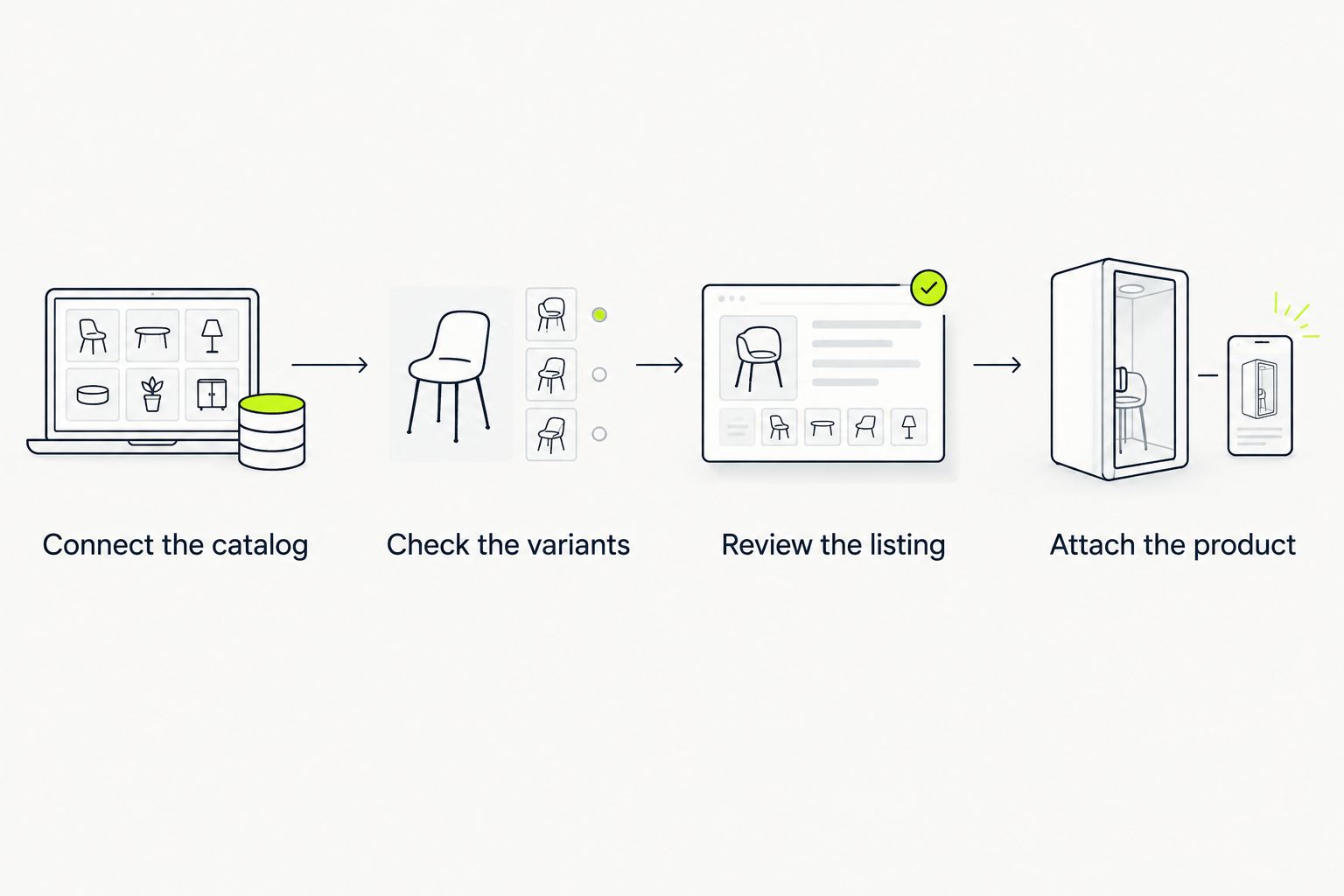
The operating sequence is simple: connect the catalog, check the variants, review the listing, then attach the product.
Do not treat this initial submission as permission to publish the entire catalog. Establish that the mapping works before increasing the scope.
Listing checks and order handoff
A successful account connection is only the beginning. Your operational check must cover what the shopper selects and what the fulfillment team receives.
Verify the purchase path
- Open the submitted product inside TikTok Shop Seller Center. Compare its photographs, description, size labels, and seller identity with the intended source record.
- Resolve all required listing-review actions. Do not ask creators to attach a product while its listing still requires correction.
- Review the seller account's fulfillment configuration and the connector's order-handling settings. Establish which system receives the order and which team processes it.
- Use a platform-supported test procedure where provided. Otherwise, follow TikTok's current seller rules for 1 test order; never create artificial purchases, reviews, or engagement.
- Trace the permitted test through the order workflow. Check the selected variant, order identifier, recipient details, and fulfillment handoff without exposing customer information in screenshots.
Expected result: The selected product reaches the intended order workflow with the correct variant, and the responsible team knows where to act.
Keep your 2026 verification record focused on evidence: which listing you inspected, which variant you selected, and whether the order reached the intended system. A screenshot of a connected-account badge cannot replace an order-path check.
If a compliant test is not possible, finish the configuration review and make the first legitimate order an explicitly assigned operational checkpoint. Do not describe an untested handoff as verified.
Content permissions and product attachments
Product synchronization does not write your launch content or establish creator authorization. Keep those tasks separate so an account issue does not become a misleading product post.
Attach the reviewed product to content
- Confirm that the publishing account has the TikTok Shop permissions required for its role. A brand-operated account and an independent creator account have different relationships to the seller.
- Prepare a demonstration that matches the exact product listing. Check the garment name, color, visible design, and any spoken fabric claims against approved product information.
- In the publishing flow, select the product-linking control provided to your eligible account. Choose the reviewed listing and inspect the seller identity before continuing.
- Preview the content and its product attachment together. Ensure the garment shown is the garment a shopper reaches through the attachment.
- Publish only after the content owner and catalog owner have checked the same listing. Keep the listing identifier alongside the content record for later corrections.
Expected result: The published demonstration points to the reviewed product, not a similar-looking garment or an unrelated seller's listing.
Paid promotion adds another connection, not a replacement for these checks. Teams that connect Icarus to TikTok Ads Manager still need to distinguish their advertising setup from seller-catalog approval and product-link permissions.
For TLF Apparel product drops, keep descriptions tied to the garment being shown. Brand-level performance positioning is not evidence that every individual style has the same fabric construction or intended training use.
Update an existing product without rebuilding the drop
Best for: authorized operators maintaining an existing listing. Updating the source product preserves a clearer record than creating a new product every time a description or photograph changes.
- Edit the approved product information in the source commerce platform.
- Check the installed connector's settings to establish which fields it synchronizes. Do not assume every manually edited TikTok field will be overwritten or preserved.
- Inspect the corresponding TikTok Shop listing after the update. Address any new review requirements shown for the changed information.
- Reopen affected content attachments and confirm they still lead to the intended listing.
Expected result: The existing product remains identifiable across the source catalog, TikTok Shop, and associated content.
The advantage is continuity: your team keeps a consistent product record. The limitation is field ownership. A manual edit in one system can conflict with a connector-managed field in another, so assign a source of truth for each synchronized attribute.
For your 2026 maintenance routine, document those field owners before handing catalog work to another team member. Recheck the connection after changing apps, permissions, or seller-account access.
Troubleshooting
The account connects, but the product cannot be attached
Check the listing's review status and the publishing account's product-link permissions separately. Fix the listed restriction rather than repeatedly reinstalling the connector; account authorization and listing approval solve different problems.
The video opens the wrong color or garment
Compare the attached listing identifier with your mapping record. Correct the product attachment where TikTok permits editing; otherwise, use the platform's supported correction process and stop directing viewers to the incorrect item.
A source edit does not appear in TikTok Shop
Inspect the connector's synchronization settings and error details. Confirm that the field belongs to the synchronization scope before resubmitting anything, and correct rejected attributes in the designated source system.
An order does not reach the intended fulfillment system
Find the order in Seller Center first, then inspect the connector's order-import settings and errors. Assign the legitimate order to the responsible operator while correcting the connection; do not create duplicate fulfillment records to force the handoff.
Multiple listings represent the same source product
Identify which listing the connector manages and which listing existing content uses. Review the platform's editing and removal controls before consolidating records, because deleting the wrong listing can break product attachments.
Customize your workflow
Expand by product type only after your initial mapping and order checks work. Apparel categories need different descriptive material: a graphic tee demonstration cannot answer every question a shopper has about leggings or a sports bra.
Build a reusable drop worksheet with product identifiers, approved claims, content owner, listing-review status, and order-handoff owner. Keep customer data outside that worksheet.
Make listing verification a release gate, not a cleanup task. In your 2026 workflow, the catalog owner approves the product record before the publishing owner schedules the corresponding content.
FAQ
How do I connect TikTok Shop to TLF Apparel product drops?
An authorized merchant connects the source store to TikTok Shop, submits the relevant products, verifies variants, and attaches reviewed listings to eligible content. Shoppers do not configure this merchant connection.
Can I connect the brand's catalog from my personal TikTok account?
A personal TikTok account does not grant access to another company's catalog. You need explicit store authorization for merchant setup, or the platform permissions required for creator product linking.
Does connecting TikTok Ads Manager also connect TikTok Shop?
No. Advertising-account access and TikTok Shop seller configuration serve different functions. Verify the seller connection and individual product listings separately.
Do I need Shopify for this workflow?
Shopify is required for the specific menu steps in this guide, not for every TikTok Shop setup. Merchants on another platform should use that platform's supported connection or TikTok Shop's applicable catalog tools.
Why can't I attach a product that already exists on the website?
A website product is not automatically an approved TikTok Shop listing. Check its listing-review status, category requirements, and the publishing account's product-link permissions.
Will every product edit synchronize automatically?
Only fields supported and enabled by the installed connector follow its synchronization behavior. Inspect the settings and the resulting listing rather than assuming every source edit transfers.
Can a creator feature a product without becoming a store administrator?
Creator product linking does not require ownership of the merchant catalog. The creator still needs the applicable TikTok permissions and any authorization required for the specific relationship.
One last thing
Test the least visible part of the drop: the variant identifier. A polished video can send a shopper to the correct garment while the underlying mapping still points to the wrong size.
Before expanding the TLF Apparel catalog connection, have a second authorized person trace one product from the source record through its TikTok listing and order handoff. Correct identity matters more than a connected-account badge.


